I Just Updated My CloudDnsManager App to v1.0, and It's Amazing!
What Is CloudDnsManager?
A while back I built CloudDnsManager, a small native Android app with read-only access to your Cloudflare account through an API token. It listed your zones and let you browse and search DNS records, and that was all it did. I wrote about why and how I built it in my last post , so read that one for the full backstory and the architecture.
In that post I said the name “Manager” was “a bit of a promise for later.” v1.0 is me keeping that promise.
Why I Kept Going
At first I only used the app to look at my Cloudflare DNS records. Then I started using Cloudflare Email Routing aliases as a permanent temp mail (ironic, I know). Every sign-up gets its own address, and if one starts getting spam, I switch it off.
On top of that, I kept wanting to do small things from my phone: point a test subdomain at an IP, fix a typo in a TXT record, or create a new alias while I was halfway through a sign-up form. Each time I had to go back to the clunky mobile dashboard. One thing led to another, and the app grew into a proper manager. I think it’s some of my best work so far.
What’s New in v1.0
DNS: Now With Write Access
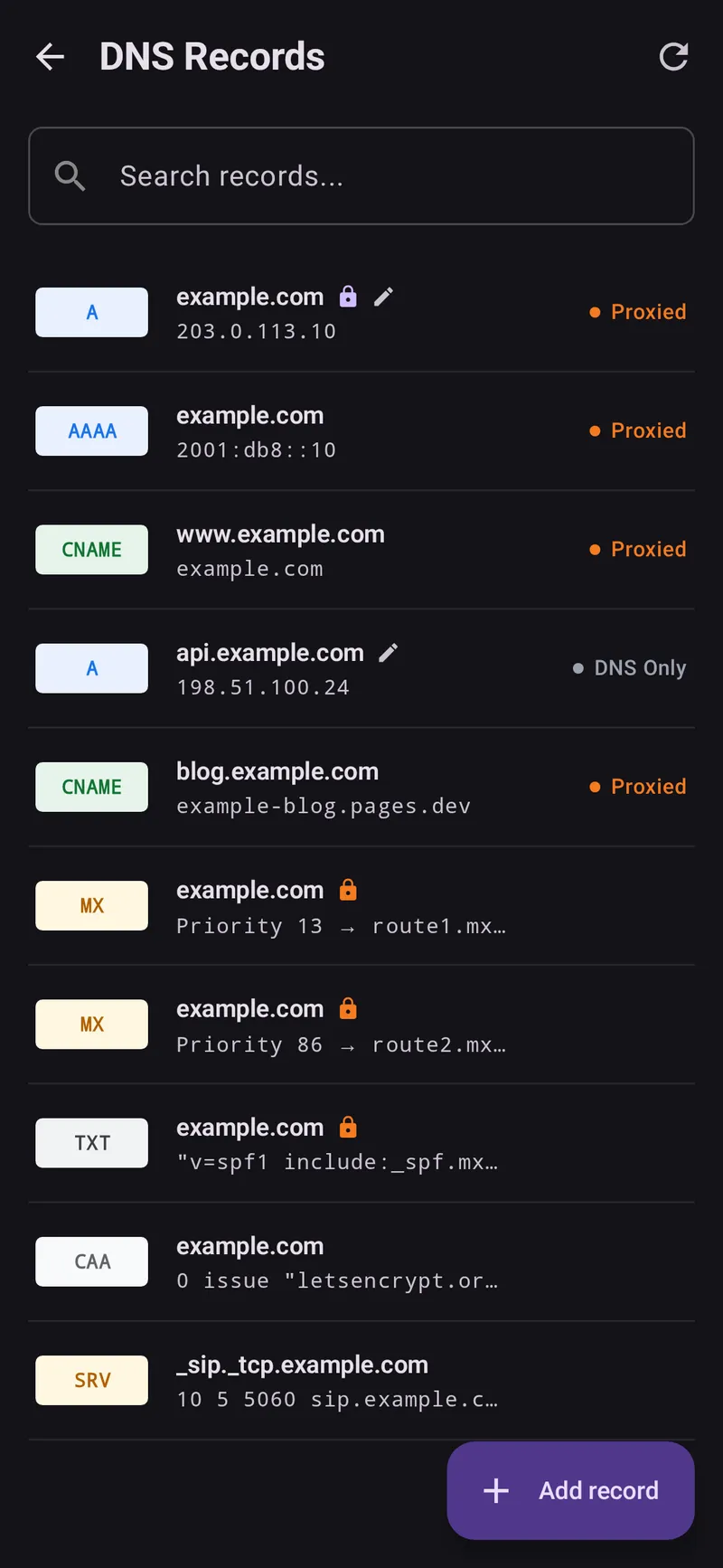
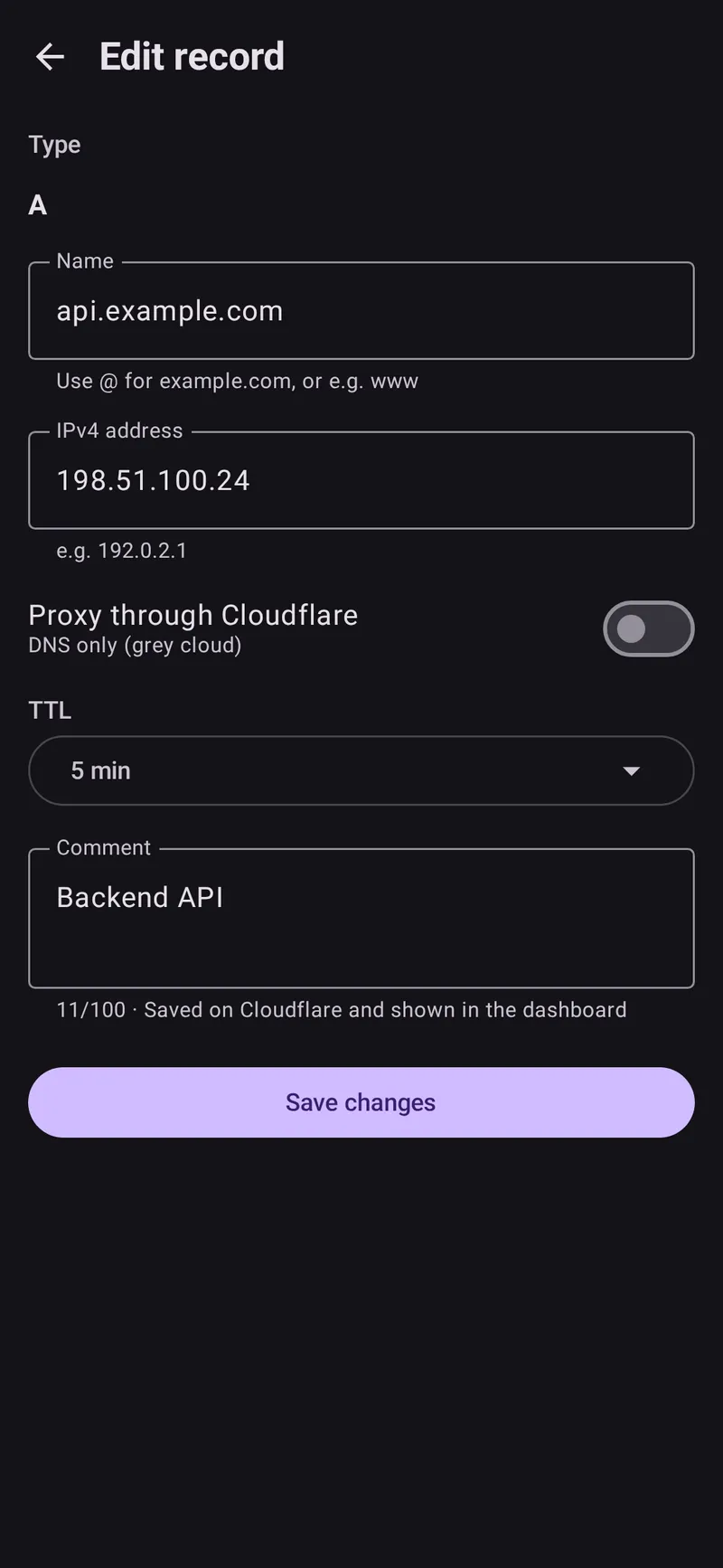
You can now create, edit, and delete DNS records. The full-screen editor supports A, AAAA, CNAME, TXT, MX, NS, CAA, and SRV records, and it only shows the fields each type needs: TTL (Auto or a preset), the proxied switch where Cloudflare allows it, MX priority, SRV and CAA fields, and the Cloudflare comment. Other record types are still viewable.
Being able to change DNS from a phone also makes it easy to break something by accident, so I added protection:
- Locked by Cloudflare: records that Cloudflare manages itself, like the Email Routing MX and SPF records, are marked with an orange lock and can’t be edited or deleted by mistake.
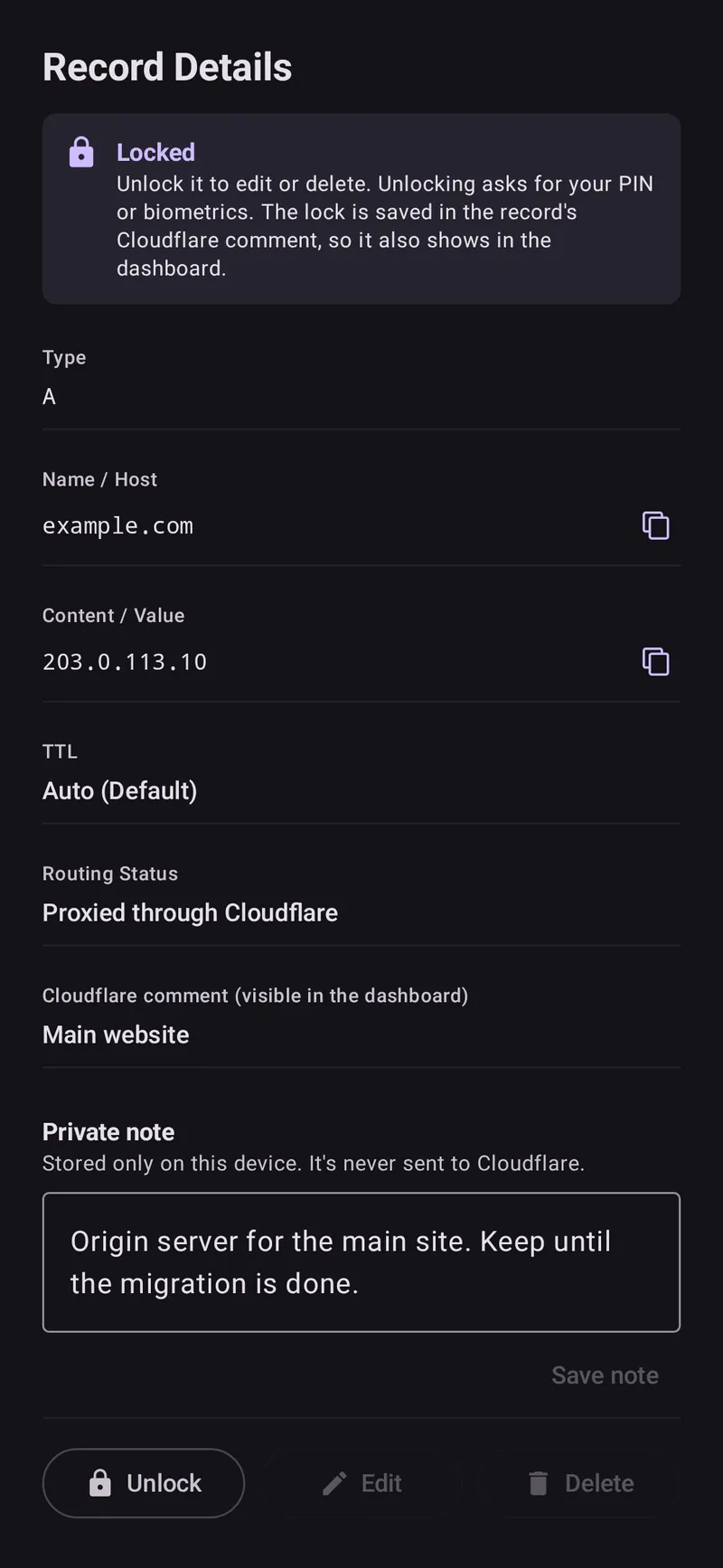
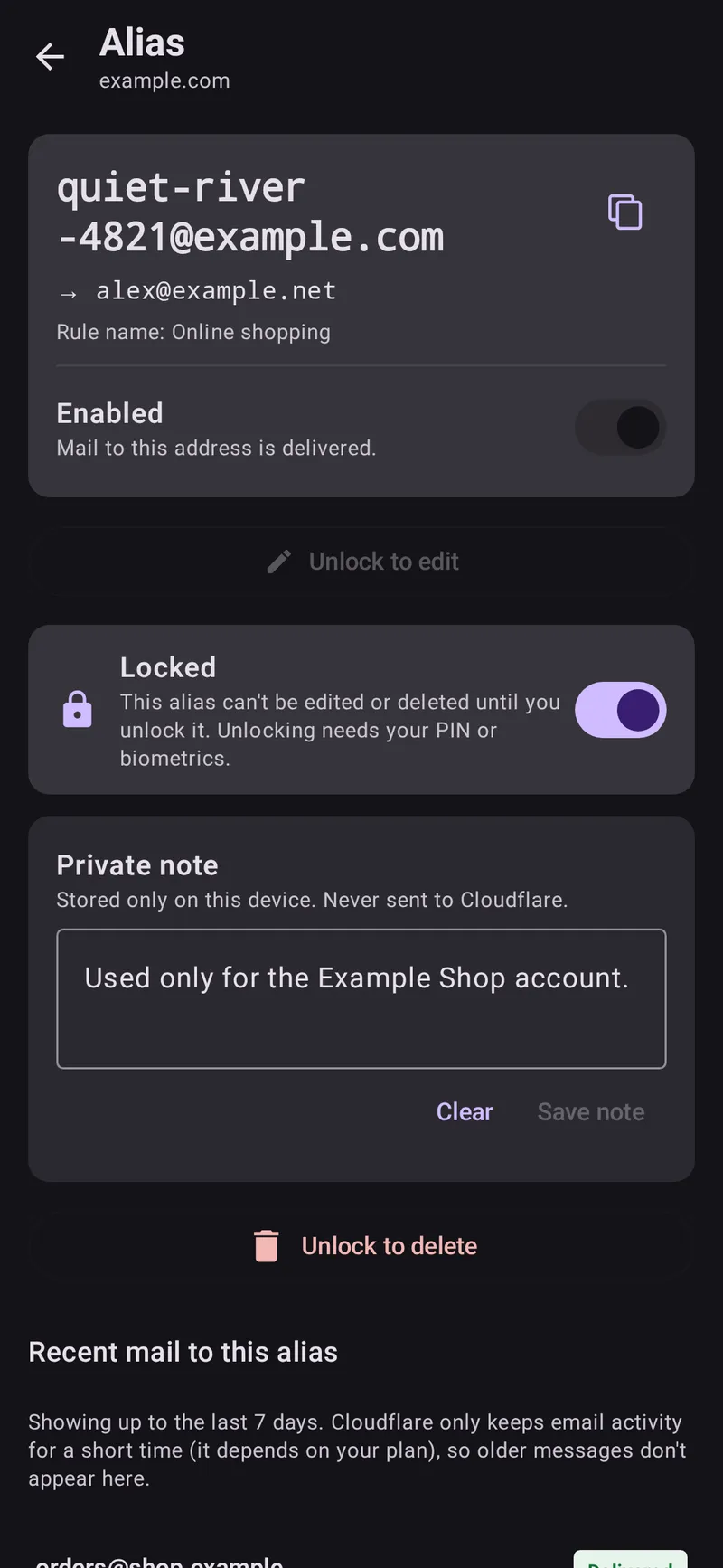
- Your own locks: lock any record you care about and it can’t be edited or deleted until you unlock it with your PIN or biometrics. The lock is saved in the record’s Cloudflare comment, so it syncs to your other devices and also shows up in the dashboard.
- Private notes: attach a note to any record, like “this points to the old VPS, don’t touch.” Notes stay on your device and are never sent to Cloudflare.
Search now matches comments and notes too, so finding “that record for the thing” is much easier.
Email Routing
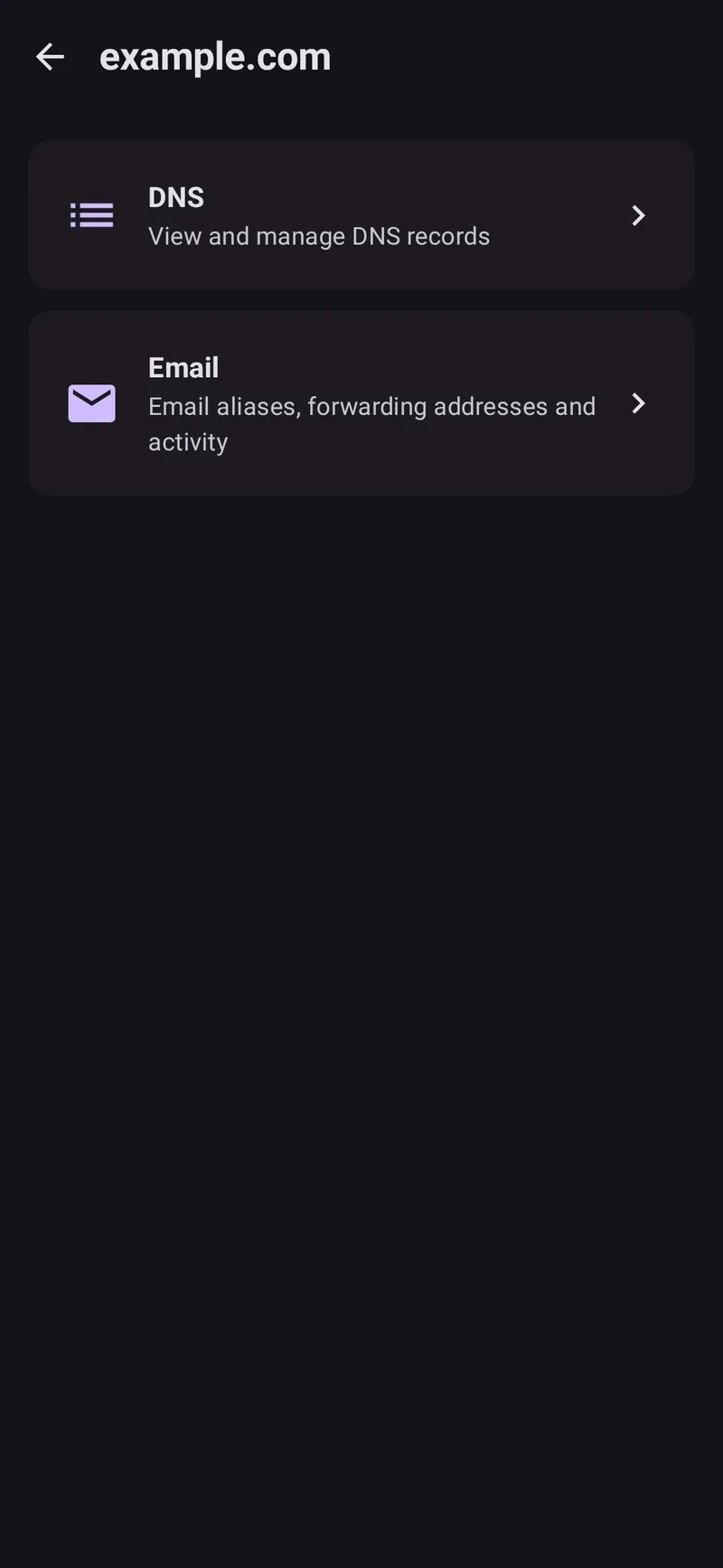
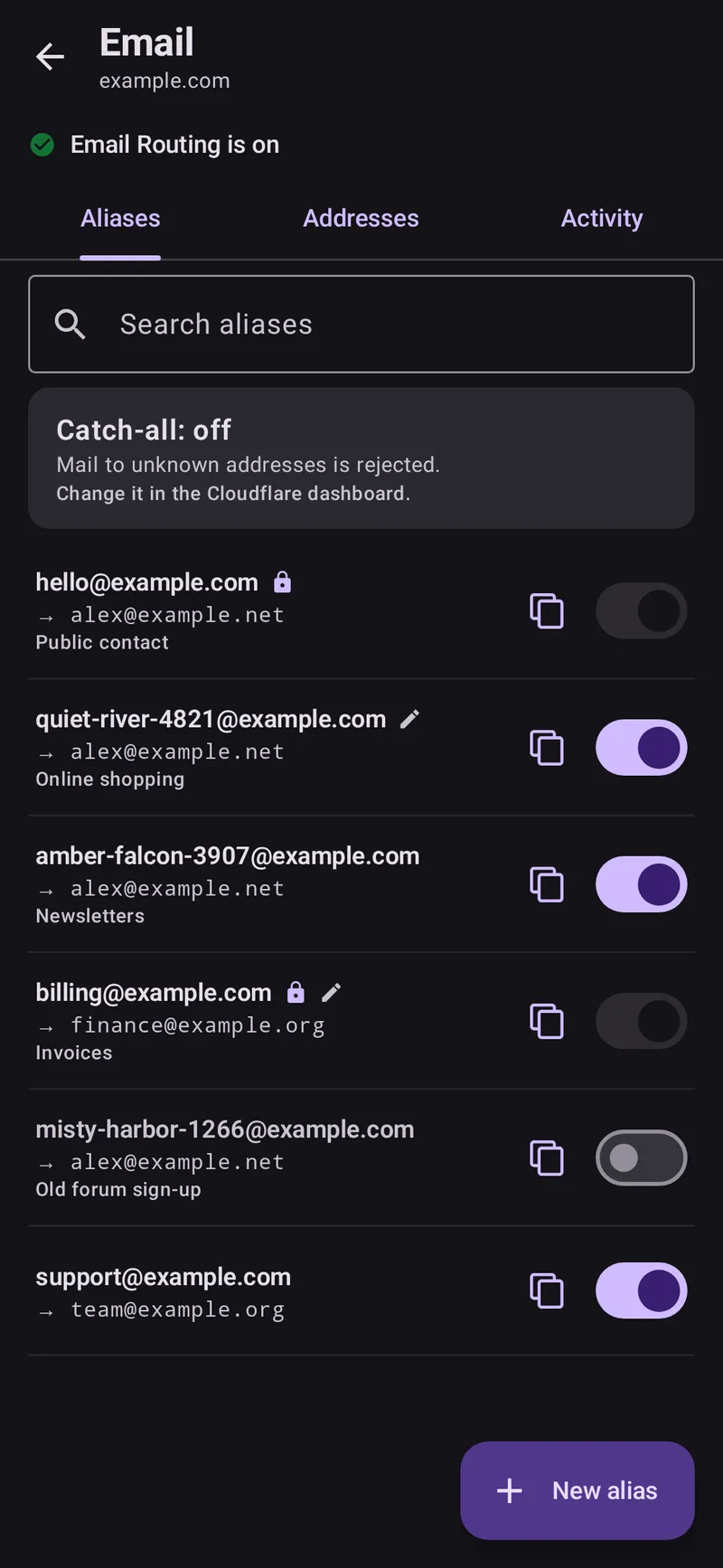
This is the feature I use the most. Tapping a zone now opens a page with two sections: DNS and Email.
The Email section has three tabs:
- Aliases: list, search, enable or disable, change where an alias forwards, or delete it. There’s a copy button on every alias, and locked aliases can’t be switched off by accident.
- Addresses: the real inboxes your aliases forward to, each marked as verified or pending. When you add a new address, Cloudflare sends it a verification email. If you delete an address that aliases still forward to, the app warns you first.
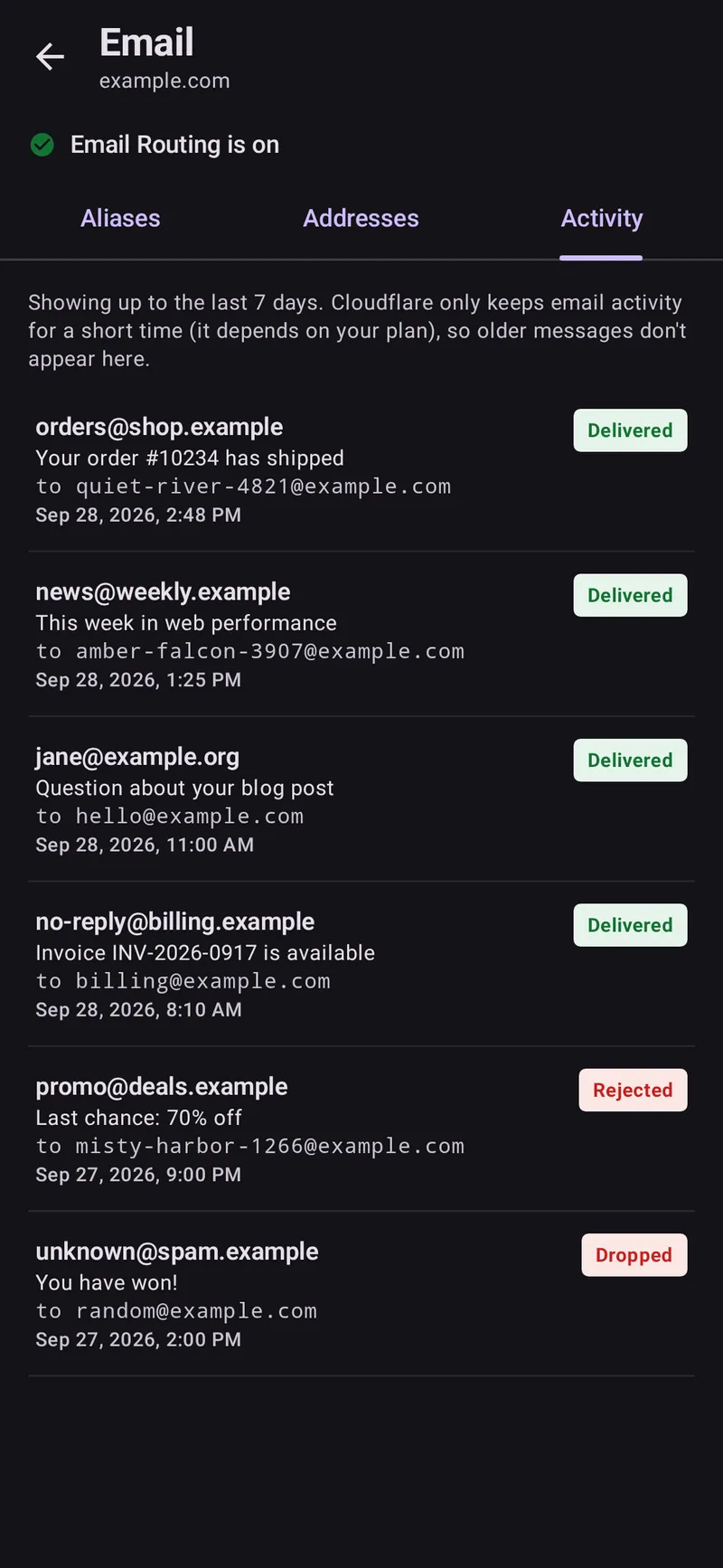
- Activity: incoming mail for the whole zone or for a single alias, showing the sender, the recipient, the subject, and whether it was delivered, rejected, or dropped. This is how I find out which site leaked my address.
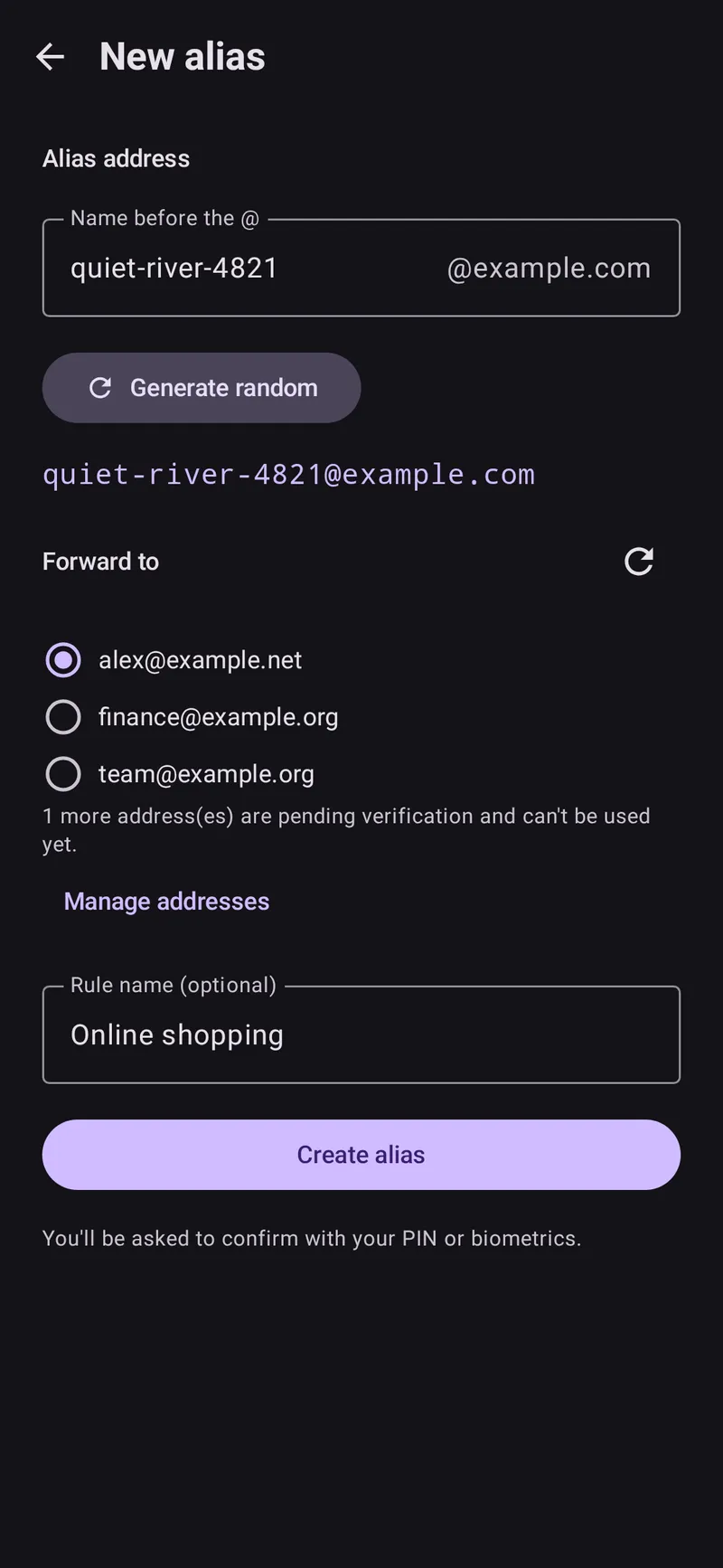
My favorite small feature is Generate random. One tap gives you a readable, hard-to-guess alias like quiet-river-4821@yourdomain.com. That covers the “temp mail” part: I tap it, copy the address, paste it into the sign-up form, and I’m done.
Security: App Lock and Biometrics
In the last post I said biometric-gated access was “an obvious next step, especially once write operations exist.” Now that the app can make changes, it’s in:
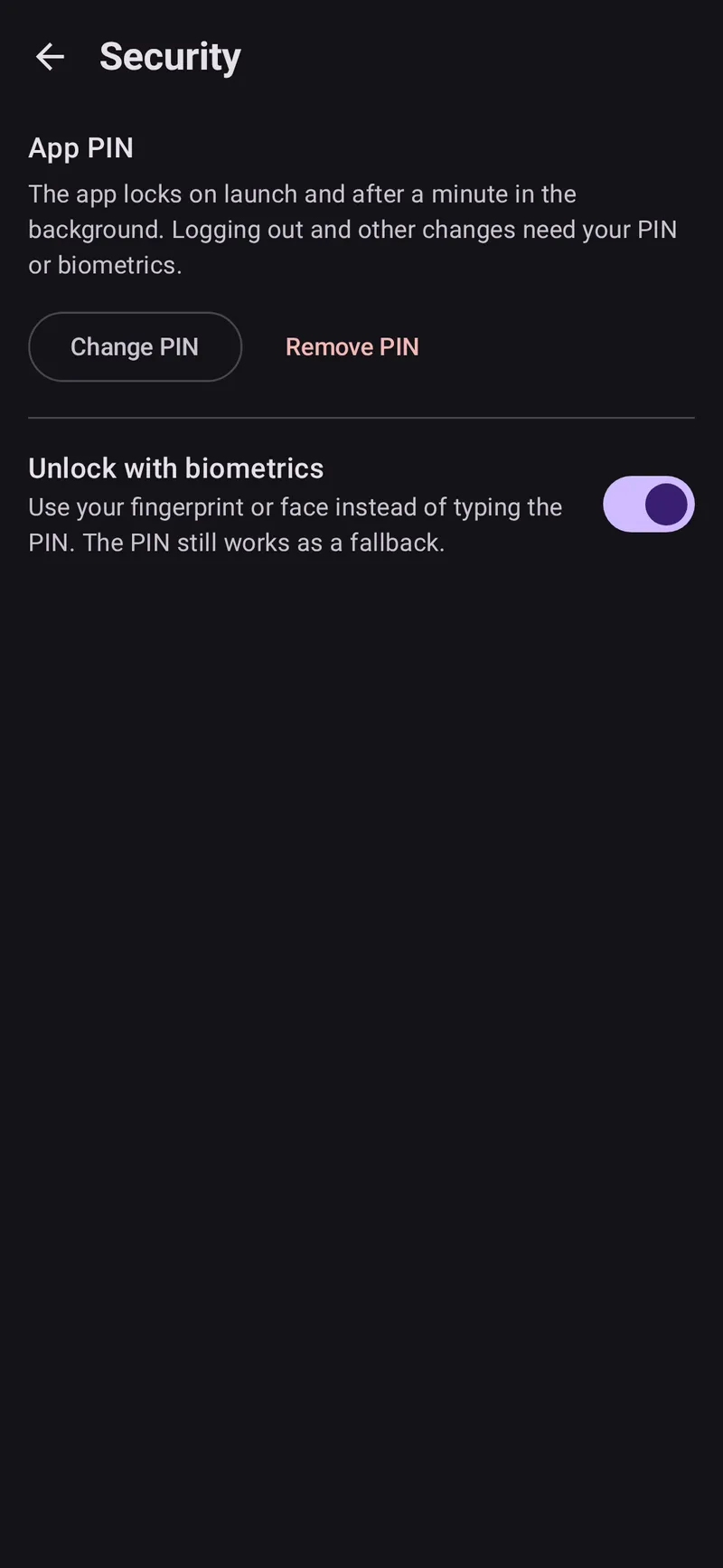
- Optional 6-digit app PIN with biometric unlock. The app locks when it launches and after a minute in the background. After 5 wrong PINs, input is blocked for 30 seconds, and each further failure doubles the wait. Wrong PINs never wipe your data.
- Every change needs authentication. Creating, editing, or deleting records and aliases, adding or removing addresses, unlocking a lock, and logging out all ask for your PIN or biometrics. If you haven’t set an app PIN, the app uses your phone’s screen lock instead. Destructive actions also ask you to confirm first.
- Better encryption. The API token is now encrypted with an Android Keystore key, and only a salted PBKDF2 hash of the PIN is stored.
- Hidden from screenshots. While a PIN is set, the app is blocked from screenshots and blurred in the recent-apps view.
- Log out removes the token, the PIN, and all local notes and locks from the device.
Smaller Things That Make It Nicer
- A branded splash screen replaces the blank “Checking session status…” screen.
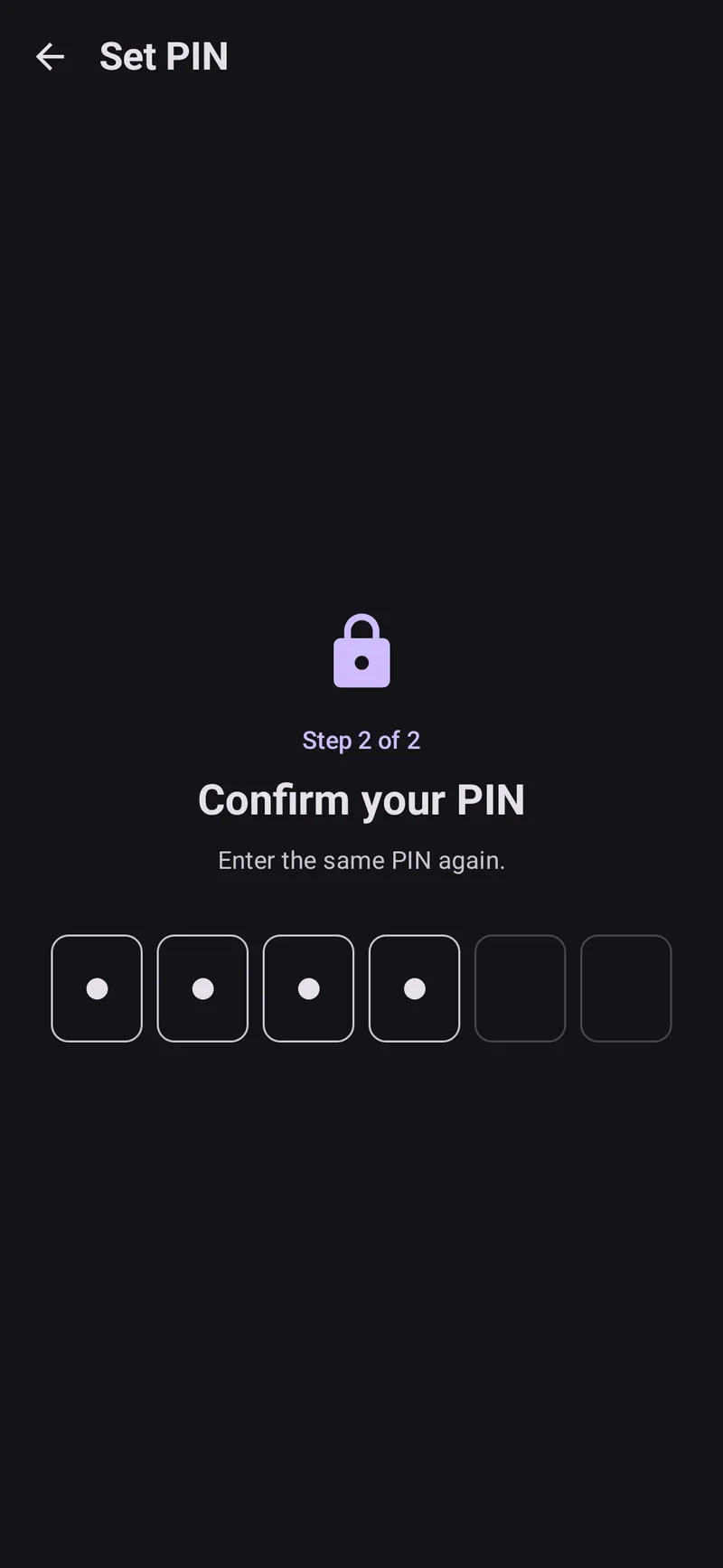
- PIN entry uses six separate digit boxes, and PIN setup is a proper two-step flow.
- When a request fails, the error message tells you which token permission is probably missing, along with Cloudflare’s own reason. Cloudflare token scopes can be confusing, so this saves a lot of guessing.
Bugs I’m Slightly Embarrassed About
A major version is a good time to own up to a few bugs:
- The API token was being written to the device log. Yes, really. It isn’t anymore. For an app whose main selling point is careful token handling, this was the most important fix in the release.
- Errors from the zone and record lists were silently shown as empty lists. They now show up as real errors with a Retry button, which is the whole point of the state-machine setup I was so proud of last time.
- The login error dialog could disappear before you saw it.
- Tapping Retry repeatedly could load the same data twice.
- Email Routing lists with more than 50 entries now load completely instead of stopping at the first page.
Under the Hood
The architecture from v0.1 held up well. Every screen is still a State + Intent + ViewModel state machine, and the Compose UI is still a pure function of state. What changed is how the code is organized:
- DNS and Email are self-contained feature packages, each with its own navigation, Koin module, and API class. Adding Email didn’t mean touching DNS code.
- Both share one encrypted local store for notes, one central lock manager, and an
AuthGatethat every change has to pass through. Because there’s only one path for mutations, no screen can “forget” to ask for authentication. - Email activity comes from Cloudflare’s GraphQL Analytics API, alongside the usual REST v4 endpoints.
- There are finally unit tests: PIN hashing, lockout rules, locks, DNS validation and request building, alias generation, and email activity parsing.
| Layer | Choice |
|---|---|
| UI | Jetpack Compose + Material 3 |
| Architecture | MVVM with MVI-style Intents |
| DI | Koin |
| Networking | Ktor (CIO), Cloudflare REST v4 + GraphQL Analytics |
| Storage | DataStore, encrypted with an Android Keystore AES key |
| Security | AndroidX Biometric, PBKDF2 PIN hashing |
| Navigation | AndroidX Navigation 3 |
Token Permissions
The app now does much more, so the token needs more permissions. Only grant what you’ll actually use:
| Scope | Permission | Needed for |
|---|---|---|
| Zone | Zone: Read | Listing zones (required) |
| Zone | DNS: Edit | Viewing and changing DNS records (DNS: Read is enough to only view) |
| Zone | Email Routing Rules: Edit | Viewing and changing email aliases |
| Account | Email Routing Addresses: Edit | Destination (forwarding) addresses |
| Zone | Analytics: Read | Email activity |
| Zone | Zone Settings: Read | (optional) Showing whether Email Routing is on |
One thing that tripped me up: destination addresses belong to a Cloudflare account, not a zone. The token’s Account Resources has to include every account whose addresses you want to manage.
Try It
Last time I said there were no prebuilt binaries yet. Now there are. You can download a signed APK directly from the release page:
- Download
CloudDnsManager-v1.0.apkfrom the v1.0 release . - Install it, and allow installs from that source if Android asks.
- You need Android 12 (API 31) or newer. If you built v0.1 yourself, v1.0 installs as an update and keeps your saved token.
Was It Worth It?
This time, definitely. v0.1 fixed a small annoyance. v1.0 has become something I use almost every day, mostly for creating aliases, but also for all the little DNS changes I used to put off until I was back at my desk. Adding locks and authentication also means I’m comfortable giving a phone app write access to my Cloudflare account, which I wouldn’t have been before.
The project is still open source and MIT licensed. Issues and PRs are welcome.