I Got Tired of Cloudflare's Mobile UI, So I Built My Own DNS Viewer
“Every good work of software starts by scratching a developer’s personal itch.” — Eric S. Raymond, The Cathedral and the Bazaar
A few days after setting up DNS records for a new domain on Cloudflare, something wasn’t resolving the way I expected. I was away from my desktop, so I pulled up the Cloudflare dashboard on my phone to double-check the records. It worked, technically — but it was clearly a desktop UI stretched onto a small screen, not something designed for touch.
That gap was small enough to be annoying and small enough to be solvable in an afternoon. So instead of squinting at a dashboard, I built CloudDnsManager: a native Android app for browsing Cloudflare zones and DNS records. What started as a “let me just check one record” detour turned into a small, genuinely useful app.
What It Does
CloudDnsManager is deliberately narrow in scope right now. You give it a Cloudflare API token with Zone:Read and DNS:Read permissions, and it:
- Verifies the token against Cloudflare’s API
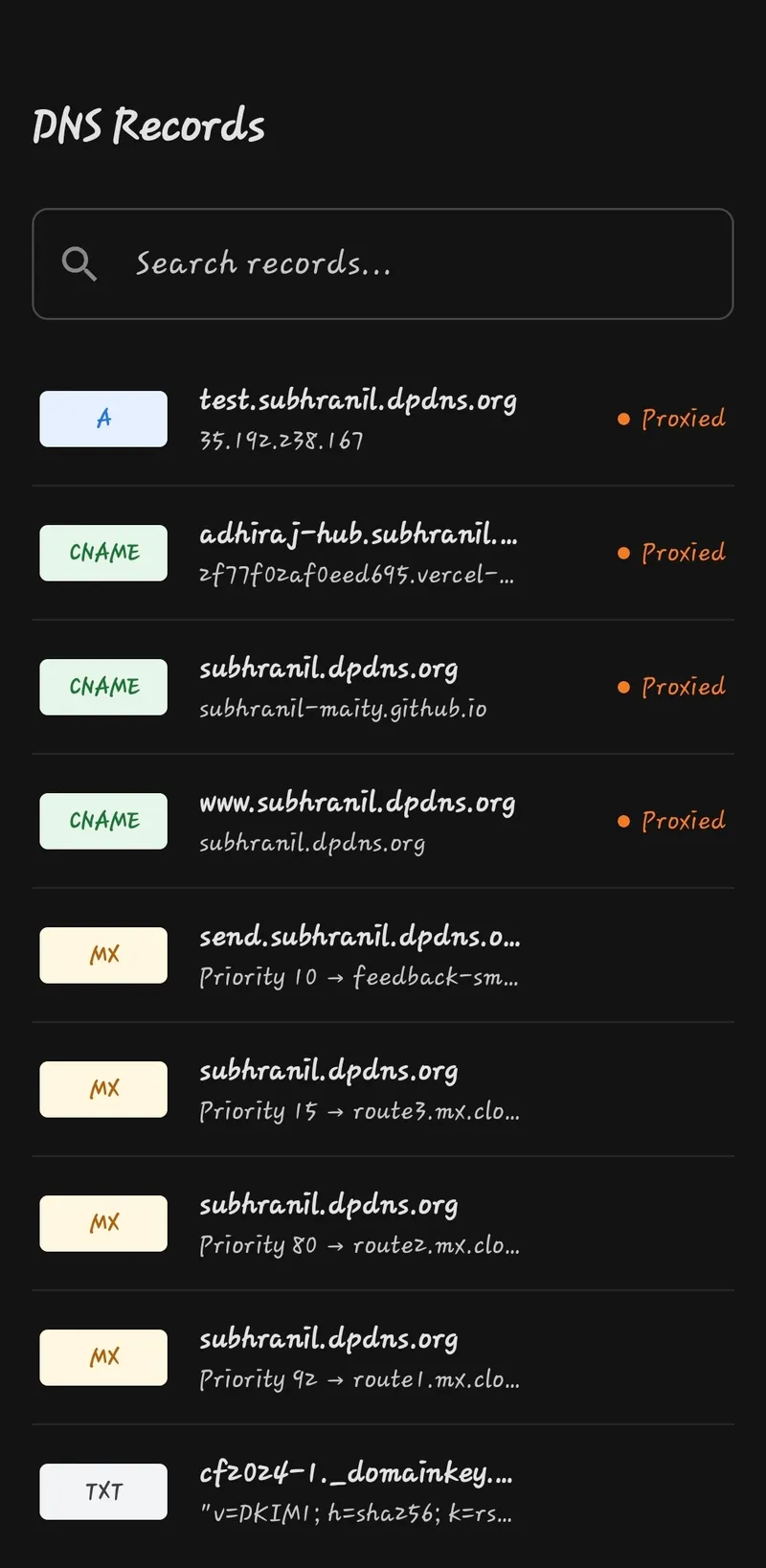
- Lists every zone (domain) the token has access to, along with status and plan info
- Loads DNS records for any zone you select
- Lets you search and filter records by name, type, or content
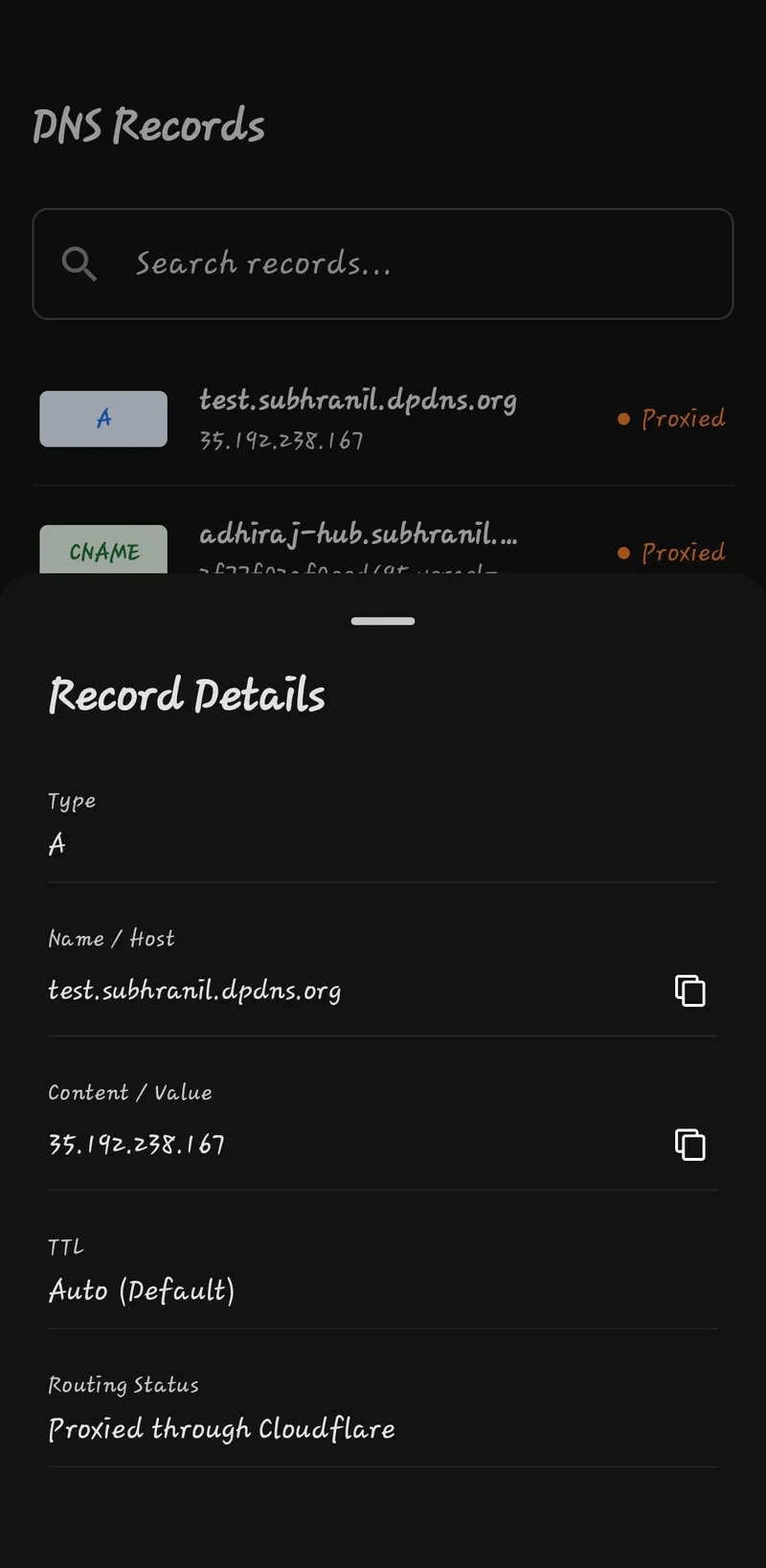
- Shows full record details — including TTL and proxied status — in a bottom sheet, with copy-to-clipboard for name and value
That’s it. No creating, editing, or deleting records — yet. The name “Manager” is a bit of a promise for later. Right now it’s a fast, focused viewer, and honestly, that already solves the problem I had.

Why This Stack
I reached for Jetpack Compose mostly out of familiarity — it’s what I already write daily, so there was no ramp-up cost. The rest of the stack followed from that:
| Layer | Choice | Why |
|---|---|---|
| UI | Jetpack Compose + Material 3 | Declarative, and I already know it well |
| DI | Koin | No codegen, fast builds, plenty for an app this size |
| Networking | Ktor (CIO engine) | Coroutine-native, and its Flow-based pagination fit the Cloudflare API nicely |
| Serialization | kotlinx.serialization | Compile-time safety without reflection overhead |
| Navigation | AndroidX Navigation 3 | Type-safe destinations via sealed interfaces |
| Storage | DataStore, AES-encrypted | The token never touches disk unencrypted |
One nice side effect of this stack: because Compose, Koin, and Ktor all have solid Kotlin Multiplatform support, I could likely get this running on desktop and iOS within an hour or two of setup. Actually building for iOS without a Mac is a separate problem I haven’t solved yet.
The Architecture: Every Screen Is a State Machine
The part I’m most happy with isn’t the DNS viewing itself — it’s the pattern I used to build every screen the same way. Each screen is composed of four pieces:
- State — a sealed interface describing every condition the screen can be in
- Intent — a sealed class enumerating every action the user can take
- ViewModel — receives intents, performs side effects (API calls, storage reads/writes), and emits new state
- Composable — a pure function of state, with zero side effects of its own
For example, a typical data-driven screen looks like this:
sealed interface DnsRecordDataState {
    data object Loading : DnsRecordDataState
    data class Error(val error: String) : DnsRecordDataState
    data class DnsRecordData(val dnsList: List<DnsRecord>) : DnsRecordDataState
}
Because the state is sealed, every when block on it is exhaustive — the compiler won’t let me forget to handle an error or loading case. There’s no nullable “maybe we have data, maybe we don’t” flag floating around, and no UI state that shouldn’t be reachable but somehow is anyway. If a screen is showing something, there’s exactly one well-defined reason why.
This made the app slower to scaffold up front — every screen needs its own state, intent, and ViewModel boilerplate — but it paid off almost immediately once I started wiring up error handling and retries. Network failures get their own dedicated state and retry screen instead of a dialog box slapped on top of whatever was already rendered.
Handling the Token
The API token is the one piece of sensitive data this app touches, so it gets treated accordingly:
- Stored via DataStore with a custom serializer that AES-encrypts the JSON before it’s written to disk, Base64-encoded for safe storage
- Held in memory for the session via a
SessionManagersingleton, so downstream screens receive an authenticated client through Koin rather than each building their own - Never displayed again once it’s been entered and verified
Biometric-gated access isn’t in yet, but it’s an obvious next step, especially once write operations exist.
What’s Next
Realistically, I’ll add things as I personally hit the need for them:
- Create/update/delete for DNS records
- Biometric confirmation before any mutating action
- Paging 3 instead of eager
Flow-based loading of all pages - Local caching for offline viewing
Was It Worth Building?
Strictly speaking, no — I could have just tolerated the mobile dashboard. But a few hours of Compose got me a tool I now reach for instinctively whenever I’m setting up DNS away from my desk, and the state-machine pattern is one I’ll probably carry into other projects.
The project is open source. There are no prebuilt binaries yet — if there’s demand, I’ll set up a CI workflow to publish them — but the code is there to clone and build.
Source: github.com/Subhranil-Maity/CloudDnsManager (MIT licensed)